
Prop Firm Affiliate Tracking: How to See Cost per Challenge by Ad Set (2026)
Affiliate portals report challenges sold and Ads Manager reports clicks, so ad sets get cut on the wrong number. How to see cost per challenge by ad set with tracked links, postbacks and a hosted page, plus how to keep prop ads compliant.

- 01What is prop firm affiliate tracking?
- 02Why the portal stops at the sale and Ads Manager stops at the click
- 03The three pieces of prop firm affiliate tracking
- 04How to set up prop firm affiliate tracking in 5 steps
- 05A worked example: cost per click vs cost per challenge
- 06Compliant prop firm ads while you test
- 07If you run the prop firm: make affiliates trackable
- 08Where Money Fellow, Page Fellow and Magic Fellow fit
- 09Cut on sales, not clicks
- 10Frequently asked questions
- 11Sources
The short answer
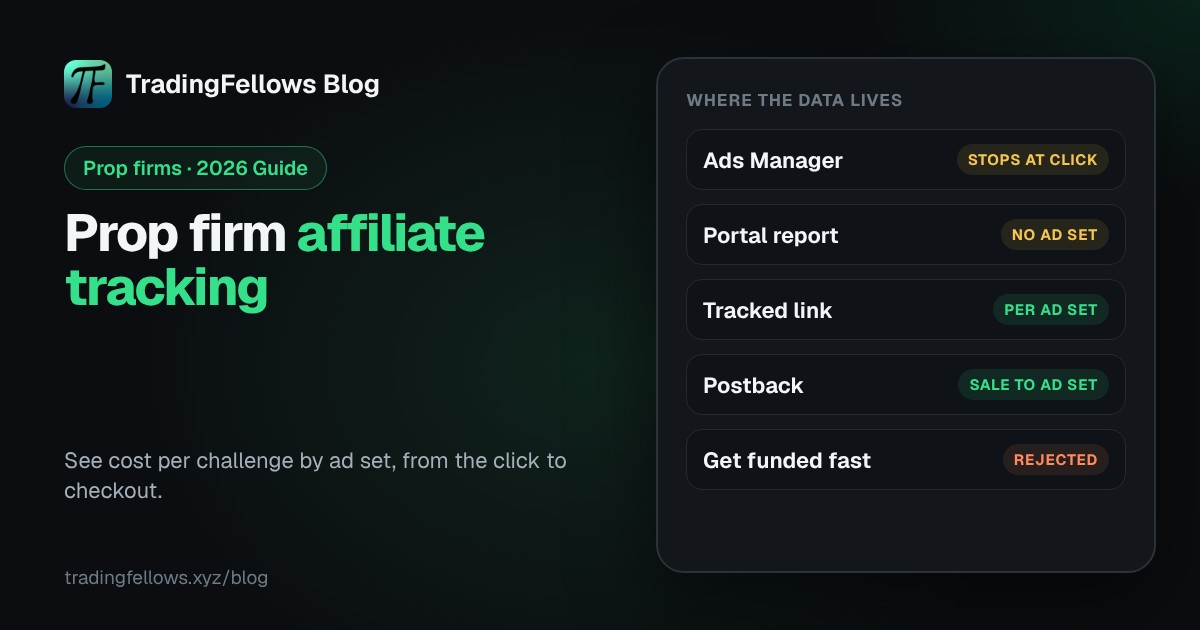
Prop firm affiliate tracking files every challenge sold to the ad set that brought the trader. The portal knows the sale, Ads Manager knows the click, and neither knows both. Give each ad set its own link, send traffic through a page you host, and have the portal send postbacks. Then cut ad sets on cost per challenge, not cost per click.
- The portal reports challenges sold, not the ad set behind them. Ads Manager reports clicks, not sales.
- Three pieces close the gap: one tracked link per ad set, postbacks from the portal, and a hosted page in between.
- Postbacks only work if the portal can send them. Check before you build.
- Sell the evaluation on its rules. "Get funded fast" gets ads rejected.
An example Monday. The portal says 23 challenges sold last week. Ads Manager shows 14 ad sets with spend. Neither knows which ad sent each buyer. So you pause on cost per click, and the pricier ad set that was quietly selling challenges is gone by Tuesday.
This guide is for prop firm affiliates, the media buyers behind them, and the firms that run affiliate programs.
What is prop firm affiliate tracking?#
Prop firm affiliate tracking is the setup that files every registration and challenge purchase to the ad set, creative or partner that sent the trader. Without it, you know how many challenges you sold. With it, you know which ad set sold them and what each one cost.
The numbers it gives you, per ad set:
- Cost per challenge soldspend on the ad set divided by the challenges it sold.
- Cost per registrationuseful early, before enough sales come in.
Why the portal stops at the sale and Ads Manager stops at the click#
Two systems, each seeing half of the story.
| What you need | Affiliate portal | Ads Manager | With tracking |
|---|---|---|---|
| Spend per ad set | No | Yes | Yes |
| Registrations | Total only | No | Per ad set |
| Challenges sold | Total only | Only if sent back | Per ad set |
| Cost per challenge per ad set | No | No | Yes |
Ads Manager sees the ad and your own pages. The checkout lives on the firm's domain, and as an affiliate you usually cannot place your pixel there. So the purchase never reaches Meta, and Meta optimises on clicks.
So winners get picked on the only number both show: the click. In a prop funnel, that is the least honest number you have.
One limit applies to every setup. A trader who taps your ad on an iPhone and buys days later on a laptop may not be credited at all, because the portal's cookie lives in the phone's browser. Tracking shrinks the blind spot. It does not remove it.
The three pieces of prop firm affiliate tracking#
1. One tracked link per ad set#
Every ad set gets its own link, so a sale can only come from one place. Most portals accept an extra parameter, often called sub1, aff_sub or click ID, that comes back with the sale. In Ads Manager, URL parameters can fill in the ad set name for you, and your page passes it on to the affiliate link.
Name ad sets so a human can read them, for example US_rules_video_v2.
2. Postbacks from the portal#
A postback is a message the portal's server sends to an address you give it when a trader registers or buys. It carries the sub ID you passed in and a transaction ID. Because it travels server to server, a closed tab or an ad blocker does not stop it.
Look in your portal for Postback, S2S or Webhook settings, or ask your affiliate manager. If the portal cannot send postbacks, nothing can file sales to ad sets automatically, and you are back to one link per ad set and a weekly export.
Watch for duplicates. Some portals fire twice on a retry, and a sale counted twice makes a weak ad set look strong. Count each transaction ID once.
3. A hosted page between the ad and the checkout#
An ad sent straight to the firm's checkout gives you no pixel, no visits per ad set and no warning when something breaks. A page you host fixes that. It carries your pixel, so events can go to Meta through the Conversions API. It counts visits and taps per ad set. And it explains the rules in plain words before the checkout.
If your funnel runs through a Telegram channel first, use one invite link per ad set, as in Telegram invite link tracking.
How to set up prop firm affiliate tracking in 5 steps#
- Confirm postbacks with the firm. Which events it sends, and which ID comes back. Get it in writing.
- Name your ad sets clearly. Country, angle, format, version.
- Put the page on your domain. One offer, the rules in plain words, one button.
- Give every ad set its own link with a sub ID or URL parameters.
- Paste the postback addresses and test. Ask the firm for a test event. An untested setup is a guess.
A worked example: cost per click vs cost per challenge#
Example numbers, not a benchmark. Same spend, one week:
| Ad set | Spend | Cost per click | Challenges sold | Cost per challenge |
|---|---|---|---|---|
| US_payout_speed_v1 | $400 | $0.40 | 2 | $200 |
| US_rules_video_v2 | $400 | $0.80 | 6 | $67 |
| UK_drawdown_faq_v1 | $400 | $0.62 | 3 | $133 |
The usual reason is the angle. A loud hook pulls curious clicks. An ad that explains the rules pulls traders who know what they are buying. Wait for a handful of sales per ad set before you judge. One sale is noise.
Compliant prop firm ads while you test#
Testing many ad sets means many ads in front of Meta's review. We could not find a separate Meta policy written only for prop firms, so treat challenge ads as financial ads under the Financial and Insurance Products and Services policy and expect close review.
Cut these:
- "Get funded fast", "pass in 2 days". They read as guarantees.
- Any line about the reader's income.
- Payout screenshots as bait, and cars, yachts or a beach desk.
Read the firm's affiliate terms too. Many firms limit what partners can say about payouts, and breaking those rules can cost you the partnership. For channels and trust, see the prop firm marketing guide.
If you run the prop firm: make affiliates trackable#
Affiliates who see cost per challenge by ad set keep the right ad sets running and send more buyers. So the firm side of prop firm affiliate tracking is short: accept a sub ID on every link, offer postbacks for registration and first purchase with a transaction ID, and publish written ad rules for partners.
Prop firm affiliate tracking on your own, or with your fellow| On your own | With your fellow |
|---|---|
| A portal total, no ad set attached | Registrations and first purchases filed to their ad set |
| Ad sets cut on cost per click | Ad sets judged on cost per challenge |
| The page dies Friday, found Monday | The page checked every 5 minutes, alerts on Telegram |
| Guessing which line got flagged | Every line checked before you publish |
Where Money Fellow, Page Fellow and Magic Fellow fit#
The Hub is self-serve. You run your own ads, and you decide what gets paused.
Money Fellow files registrations and first purchases to the ad set that brought them. You paste two addresses into the firm's portal, and each event lands on its ad set. Said plainly: it assumes the portal can send postbacks. If yours cannot, Money Fellow has nothing to file. It never logs in to the portal, it does not track trading volume, and each transaction ID counts once.
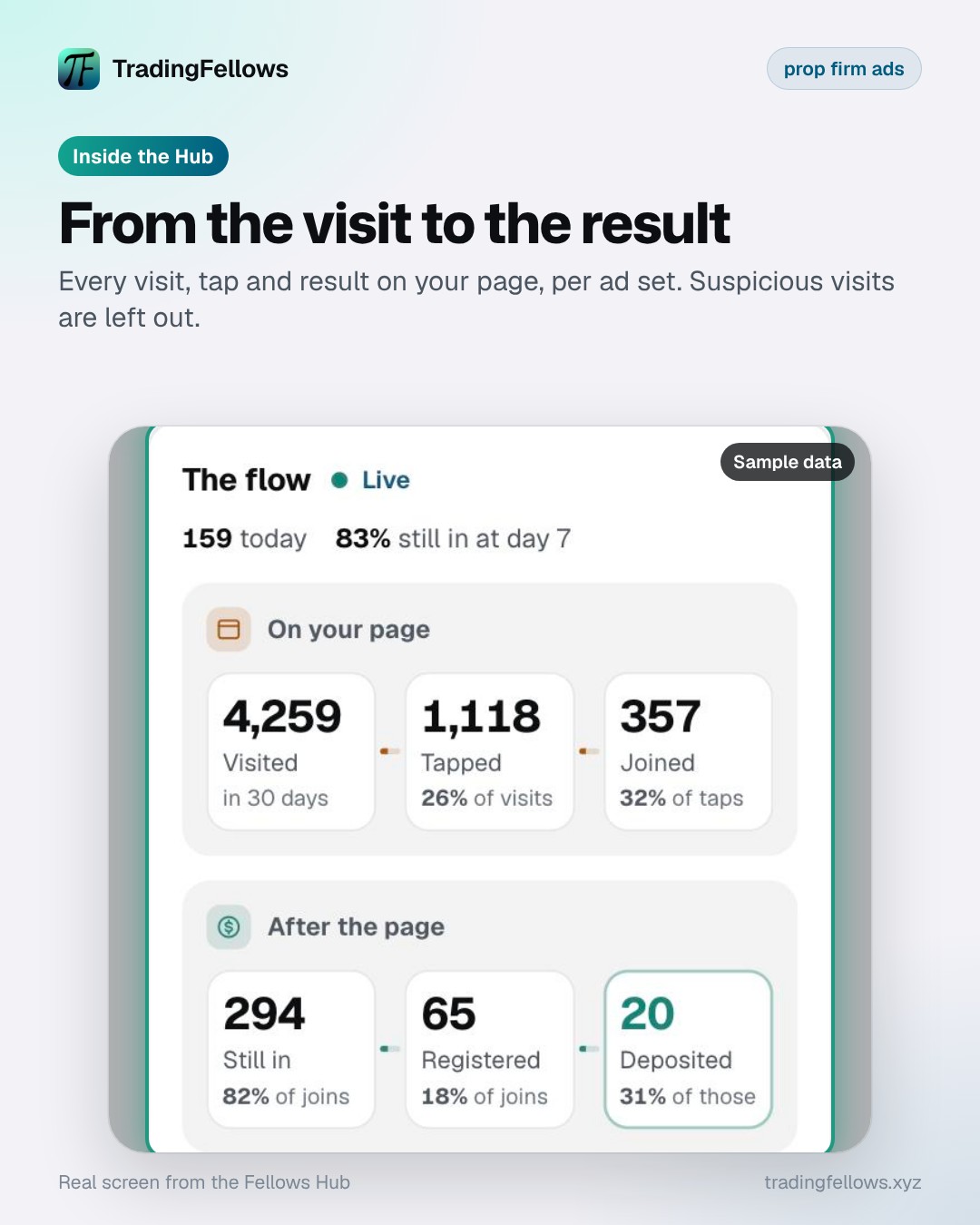
Page Fellow hosts your page on your domain with one DNS record. Once live, it is checked every 5 minutes with a Telegram alert if it stops, and the board shows every visit, tap and result per ad set. Suspicious visits are flagged and left out, a signal, not a verdict. Said plainly: it measures only pages it hosts. The free practice run lets you try it on a sample page.
Magic Fellow writes the ads you test. Paste your page link or one line about the challenge, and it writes 5 ads from different angles, checking every line against about 10 rule types Meta usually rejects, including income claims and guarantees. On the free start it writes 2 sets of 5 ads. A clean check does not guarantee approval: Meta also reviews the image, page and account.
Prop firm affiliate tracking starts in the portal, not in Ads Manager. Ask the firm about postbacks and sub IDs on day one. Spend without them buys clicks you cannot judge.
Cut on sales, not clicks#
Prop firm affiliate tracking turns a portal total into a number per ad set. One link per ad set, postbacks, a hosted page and ads that sell the evaluation on its rules. Then the ad set that sells challenges stays on, even when its clicks cost more.
Stuck on a step? Message us from the chat icon at the top of the Hub.
Start free on the Hub, your self-serve fellow for every ad you run.
Frequently asked questions
What is a postback in prop firm affiliate tracking?
Can I put my Meta pixel on the firm's checkout?
Does this track resets and repeat purchases?
Sources
What this guide cites, so you can check it yourself.
- Conversions APIdevelopers.facebook.com
- Financial and Insurance Products and Servicestransparency.meta.com
Media buyers in FX, crypto and prop since 2017. Each guide is checked against the platform rules it cites, and numbers in examples are marked as examples. How we write and check guides
Published
Keep reading
Transfer Facebook Pixel to Another Business Manager: The Complete 2026 Guide
The account died. The pixel did not, unless it lived in the same place. Where pixel data actually lives, how to share it in five minutes, and the setup that keeps it yours.
Broker Postback Setup: How to Get Registrations and FTDs Sent Back to You (2026 Guide)
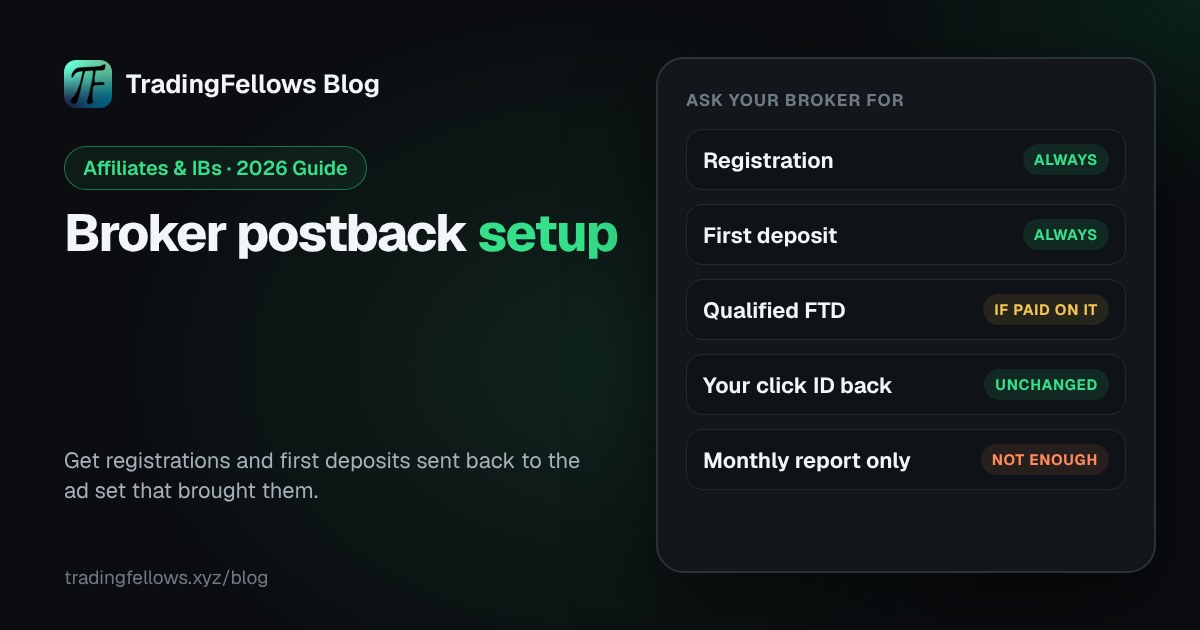
How to get registrations and first deposits sent back from your broker: the postback loop, what to ask your affiliate manager for, and how to test it.
Conversions API for Brokers: How to Send Registrations and FTDs to Meta (2026)
How brokers send registrations and first-time deposits to Meta with the Conversions API: events, matching, de-duplication and optimization.