
Meta Ad Account Restricted? A Guide for Forex and Crypto Advertisers (2026)

What a rejected ad, a restricted or disabled ad account and restricted advertising on a profile mean for forex and crypto advertisers, how to request a review in Account Quality, and the habits that keep it from happening again.
On this page
- Meta ad account restricted, rejected or disabled: which one is it?
- Why forex and crypto advertisers get restricted
- How to read Account Quality and request a review
- Step 1: Open Account Quality
- Step 2: Find the restricted asset
- Step 3: Read the reason, slowly
- Step 4: Fix the cause before you ask
- Step 5: Tap Request review, if it is offered
- Step 6: Track it
- What to prepare for an appeal
- What not to do: getting around a restriction
- How to stop it happening again
- Where Magic Fellow and Page Fellow fit
- Fix the cause, not the account
- Frequently Asked Questions
Key takeaway: When you see Meta ad account restricted, first work out what was restricted: one ad, the ad account, or your profile or Business portfolio. Then read the reason in Account Quality, fix the cause, and request a review with evidence. Never open new accounts to get around it. That breaks Meta's terms and usually makes the restriction wider.
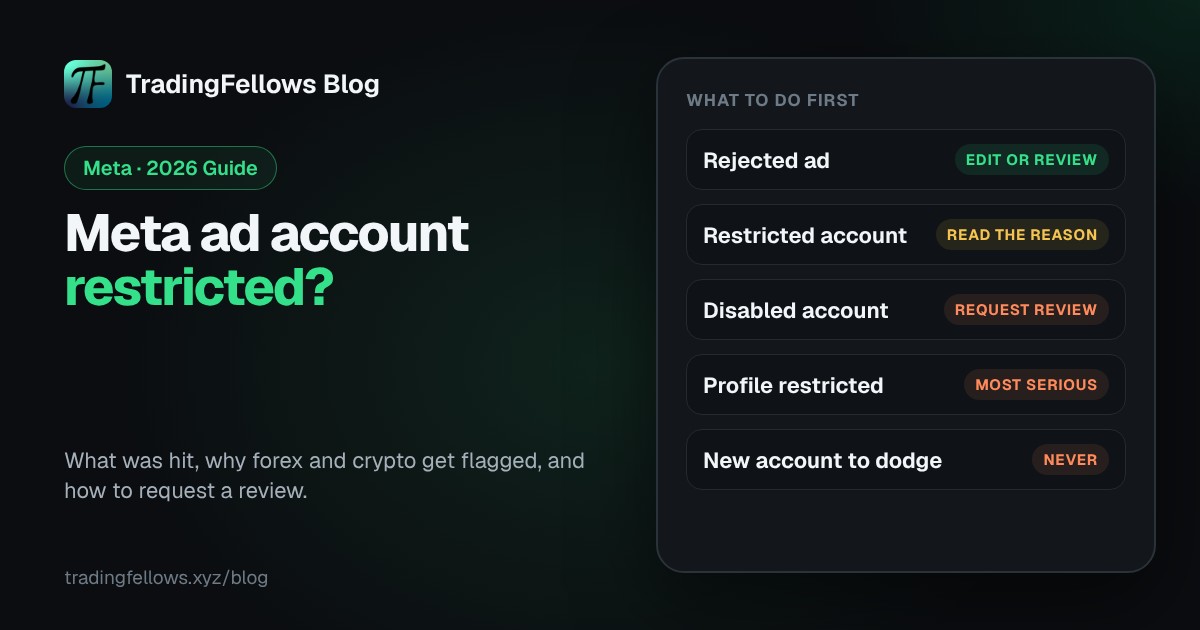
- A rejected ad, a restricted ad account, a disabled ad account and restricted advertising on a profile or portfolio are four different problems.
- For forex and crypto, the usual causes are copy claims, a page that says more than the ad, an unverified business, payment problems, past rejections and crypto offers without Meta's written permission.
- Account Quality shows what was restricted and why. Fix the cause before you tap Request review.
- Prevention is boring: clean copy, a matching page, a verified business, steady spend and separate offers.
Your ads stopped at 2 am. Ads Manager shows a red banner, the campaign that brought joins all week is frozen, and your Telegram channel goes quiet. By 2:05 you are searching "Meta ad account restricted". The next hour matters more than the last week, because what you do now decides whether this stays small or spreads to every asset you own.
This guide covers what each restriction means, why forex and crypto offers get hit, how to request a review, and how to stop it happening again. Compliance only. Meta's menus change often, so treat button names here as a guide.
Meta ad account restricted, rejected or disabled: which one is it?#
A Meta ad account restricted label can mean four different things, and most panic comes from mixing them up. Meta's page on advertising restrictions explains that different assets can be restricted. The plain version:
| What you see | What it usually means | What still works |
|---|---|---|
| Rejected ad | One ad did not pass review | The account and your other ads |
| Restricted ad account | The account has limits, such as on spend or new ads | Depends on the restriction shown |
| Disabled ad account | The account can no longer run ads | Nothing in it until a review succeeds |
| Restricted advertising on a profile or portfolio | That person or portfolio cannot advertise | Usually nothing tied to them |

A rejected ad is the warning shot: Meta's guide to troubleshooting a rejected ad lets you edit it or request a review. But rejections add up, and Meta's page on how it enforces advertising policies describes how repeated violations can lead to action on the whole account.
A profile or portfolio restriction is the most serious, because it can reach every ad account you manage. When you see Meta ad account restricted, check which asset carries the label first.
Why forex and crypto advertisers get restricted#
Finance offers sit under Meta's Financial and Insurance Products and Services policy, part of the wider Advertising Standards. That means closer review. When a forex or crypto Meta ad account restricted notice appears, the cause is usually one of these:
1. Copy claims. "Make $500 a day", "guaranteed profits", "92% win rate", "tired of losing money?", a rooftop pool. These lines are examples of the pattern, and income claims, guarantees, win rates, personal remarks and wealth lifestyle sink more forex ads than anything else.
2. Landing page mismatch. The ad says "free daily gold analysis". The page says, for example, "turn $100 into $10,000". Meta reviews the destination too. A careful ad pointing at a page full of promises is still a promise.
3. Unverified business. A new portfolio, no business verification, a card in a different name, admins nobody can identify. In some markets, including the UK and Australia, Meta asks financial advertisers to show they are authorised by the local regulator. Check Meta's page on ads for financial products and services for your target country.
4. Payment issues. A declined card, an unpaid balance, one card shared across many accounts, a sudden jump in billing. Any of these can stop ads without a policy problem.
5. Policy history. Past rejections and restrictions on the account, the profile and the portfolio all count. A long tail of rejected ads means each review starts with less trust.
6. Crypto without written permission. Meta's Cryptocurrency Products and Services policy requires prior written permission for many crypto offers, such as exchanges and trading platforms, and eligibility generally depends on holding a regulatory licence Meta recognises for the market you target. General education or news may be treated differently. Read the official page for your exact offer first.
How to read Account Quality and request a review#
Account Quality is where Meta shows restrictions, including every Meta ad account restricted notice. Some menus and help pages call it Business Support Home. You need to be an admin of the asset to act.
Step 1: Open Account Quality#
Open it from Meta Business Suite or from the banner in Ads Manager, logged in with the profile that is admin of the restricted asset.
Step 2: Find the restricted asset#
You will see your profile, your portfolio, your ad accounts and your Pages. Find the one marked restricted or disabled. If it is your profile or portfolio, fix that first, because the ad accounts depend on it.
Step 3: Read the reason, slowly#
Read what was restricted, which policy Meta names, and which ads are involved. Screenshot it. That policy is what your review has to answer.
Step 4: Fix the cause before you ask#
Delete or edit the flagged ads. Change the landing page so it says only what the ad says. Settle any unpaid balance. Finish business verification or identity confirmation if Meta asks. A review request with the problem still live is a wasted request.
Step 5: Tap Request review, if it is offered#
Follow Meta's steps in Request a review for a restricted advertising account. You may be asked to confirm your identity. Answer clearly and briefly. If there is no Request review option, Meta's guide to troubleshooting a disabled or restricted account explains what you can still do.
Step 6: Track it#
Watch the status in Account Quality and do not send the same request again and again. There is no fixed timeline you can count on, so plan for a wait, and act soon: review options are not open forever.
What to prepare for an appeal#
Get this ready before you appeal a Meta ad account restricted decision:
- The exact policy named in Account Quality, and the ads it lists.
- Screenshots of the ad copy and image as they were, and as they are now.
- The landing page URL, showing it says what the ad says.
- Business details that match the payment method and verification documents.
- For crypto, Meta's written permission and the licence behind it.
- For regulated finance offers, proof of authorisation in your target market, where Meta requires it.
- One short paragraph: what happened, what you changed, and why the account now follows the policy. No anger, no blame.
What not to do: getting around a restriction#
Here is the hard line. Do not open new ad accounts, profiles or portfolios to keep running after a restriction. Do not rent or buy accounts to get around enforcement. Do not use cloaking, where reviewers see one page and visitors another. Ignore anyone selling "unbannable" setups.
All of this breaks Meta's terms, and Meta's Circumventing Systems policy exists exactly for it. The usual result is a wider restriction that reaches the profile, the portfolio and the people linked to them. The only way out of a Meta ad account restricted status that lasts is fixing the cause and going through review.
How to stop it happening again#
- Clean copy before you submit. Check every line for income claims, guarantees, win rates, personal remarks and wealth lifestyle. Fewer rejections, cleaner history.
- A page that says exactly what the ad says. Same offer, same words. If the ad says free analysis, the page says free analysis, and that VIP is paid and optional.
- A verified business. Verify the portfolio, pay with a method in the business name, keep admins real and few.
- Steady spend patterns. Raise budgets gradually. Sudden jumps on a new account look unusual.
- Separate offers. Give each offer its own campaign and its own page, so one rejected offer does not stall the others. Not spare accounts: one problem kept in one place.
| On your own | With your fellow |
|---|---|
| Guess which line got the ad flagged | Every line checked against about 10 rule types before you publish |
| Edit, resubmit, collect more rejections on the record | A rewrite offered for anything flagged |
| Find out the page went down from a quiet channel | The hosted page checked every 5 minutes, with Telegram alerts |
| One problem freezes every offer at once | Each offer on its own page, so one issue stays contained |
Where Magic Fellow and Page Fellow fit#
The Fellows Hub is self-serve: you run your own ads in your own Ads Manager. Nothing in the Hub lifts a Meta ad account restricted status or talks to Meta for you. It cuts two common causes before you publish.
Magic Fellow writes your ads from a t.me link or one line about the offer, and checks every line against about 10 rule types Meta usually rejects for finance and education, including income claims, guarantees, win rates, personal remarks and wealth lifestyle. Anything flagged comes with a rewrite. On the free start it writes 2 sets of 5 ads.
Page Fellow handles the page. Upload it, and the Hub checks it and marks in amber what gets looked at before you send it for approval. Once a hosted page is live, it is checked every 5 minutes, with a Telegram alert if something breaks. The free practice run lets you try it on a sample page.
Meta also reviews the image, the landing page and the account, including its history. A clean check removes the most common reasons for rejection. The final decision is always Meta's.
Fix the cause, not the account#
A Meta ad account restricted notice is a message about what Meta saw: a line, a page, a payment or a pattern. Read it in Account Quality, fix what it names, and ask for a review with evidence. Then build the habits that keep the next one away.
Stuck on a step? Message us from the chat icon at the top of the Hub.
Start free on the Fellows Hub, your self-serve fellow for every ad you run.
Frequently Asked Questions
How long does a Meta review take?
Will a new ad account fix a Meta ad account restricted status?
Keep reading
High CTR No Conversions on Facebook Ads? The Complete 2026 Diagnosis
Your best-CTR ad set produced nothing, so you rewrote the page. If most billed clicks never became visits, non
Virtual Phone Number for Facebook: The Complete 2026 Business Manager Guide
The number that verified your Business Manager belongs to a stranger by spring. What Meta actually checks, why
Facebook Ads Payment Failed? The Complete 2026 Guide to Fixing It Fast
Either your bank refused the charge or Meta did, and the two need opposite responses. How to tell which in thr