
Why Your Business Manager Account Gets Banned on Day 1 (And How to Build One That Lasts)

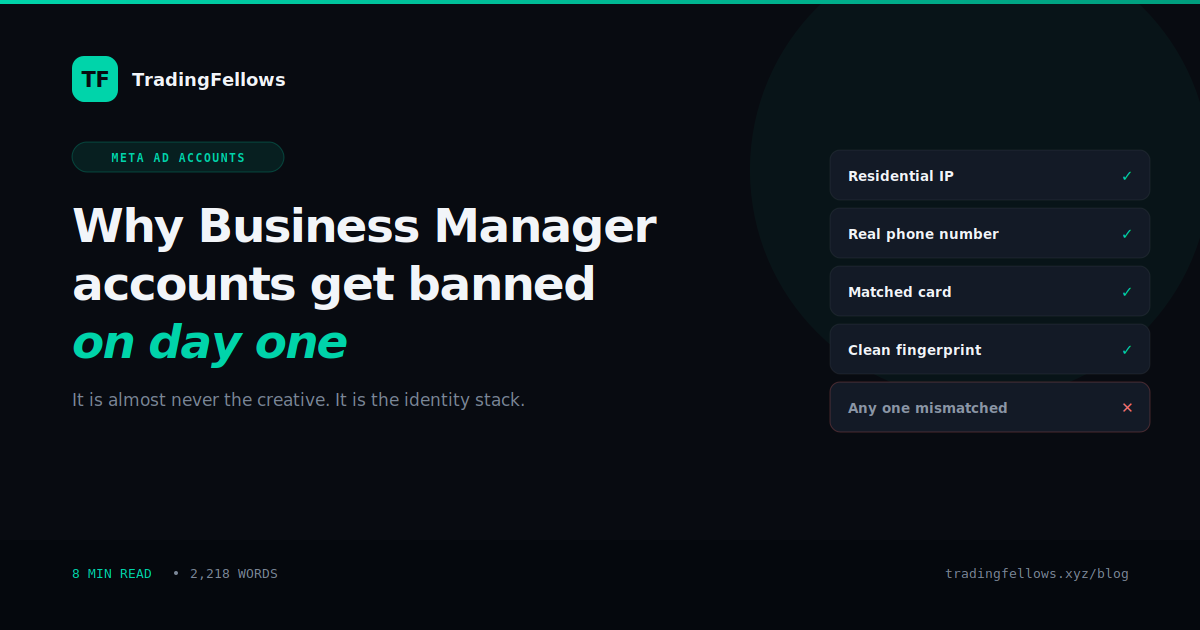
A Business Manager account gets banned on day one when the identity behind it does not hold together: a datacenter IP at creation, a recycled phone number, a mismatched payment card, or a browser fingerprint linked to a banned account. Fix the identity stack before the creative.
On this page
- What Meta actually checks before your ad runs
- The IP the account was created on
- The phone number
- The payment method
- Browser and device fingerprint
- The identity stack
- Why cheap Business Manager accounts fail predictably
- The warm-up that actually works
- Choosing how much of this to do yourself
- Running more than one account
- What to do if you're banned right now
- The bottom line
- Frequently Asked Questions
You bought a Business Manager account on Monday. By Tuesday afternoon it was restricted, before a single ad finished review.
So you bought another one. Same result. You changed the creative, softened the copy, swapped the landing page. Restricted again. At some point the obvious conclusion sets in: it isn't the ads.
It isn't. In most cases the account was already flagged before your first ad existed. Meta scores a Business Manager account the moment it's created, using signals that have nothing to do with what you eventually advertise. If those signals look wrong, no amount of compliant creative rescues it.
A Business Manager account gets banned on day one when the identity behind it doesn't hold together: a datacenter or VPN IP at creation, a recycled or VOIP phone number, a payment card that doesn't match the account's name and country, or a browser fingerprint shared with a previously banned account.
Fix the identity stack first. Creative compliance only matters once the account itself is trusted.
What Meta actually checks before your ad runs#
When a Business Manager account is created, Meta builds a risk profile from signals that are available immediately · long before there's any ad content to review. Think of it as an identity check rather than a content check.
Four signals carry most of the weight.
The IP the account was created on#
Every connection type carries a reputation. Residential IPs belong to real homes and real people, so they look ordinary. Datacenter IPs belong to servers, and servers don't browse Facebook · bots do. Commercial VPN exit nodes are worse still, because thousands of unrelated accounts have already used that same address, and some fraction of them were banned.
Create a Business Manager account from a datacenter or VPN IP and you've attached it to an address with an existing history you know nothing about.
The phone number#
A number used for verification is checked for carrier type and reuse history. A VOIP or disposable SMS number is the cheapest possible signal to fake, which is exactly why it's weighted so heavily against you. Numbers from bulk SMS services have usually verified dozens of accounts already.
A real mobile number that stays active also matters for a second reason: when Meta asks for re-verification weeks later, a dead number means a dead account.
The payment method#
This is the one most people get wrong, because it seems like an afterthought. Meta cross-references the cardholder name, the card's issuing country, the billing address, and the account's own country and IP.
A card issued in one country, on an account registered in another, accessed from a third, is three mismatches in a single data point. Each one alone might pass. Together they read as someone hiding something.
Browser and device fingerprint#
Canvas rendering, fonts, timezone, screen resolution, and dozens of other properties combine into an identifier that persists across cookie clears and IP changes. If that fingerprint has touched a banned account, a new Business Manager account created on the same machine inherits the association.
This is why "I made a fresh account and it died instantly" happens. It wasn't fresh. The browser wasn't.
Buying a replacement account and setting it up on the same laptop, same browser profile, and same VPN that the last three died on reproduces the exact conditions that killed them.
The account is new. Everything Meta uses to score it is not.
The identity stack#
The useful mental model is that a Business Manager account isn't one thing. It's a stack of claims about who you are, and the stack either holds together or it doesn't.
- IP: residential, in the country the business claims to operate from
- Phone: a real mobile on a real carrier, still reachable in six weeks
- Card: name and country matching the account and the IP
- Browser: a clean profile with no history of banned accounts
- History: an account that has behaved like a business, not sat dormant then suddenly spent $500/day
Any single mismatch is survivable. Two or three together is what triggers the automated flag, because coincidence stops being a plausible explanation.
Why cheap Business Manager accounts fail predictably#
A twenty dollar Business Manager account isn't a discounted version of a good one. It's a different product built on the cheapest possible inputs, because that's the only way the price works.
At that cost the seller is creating accounts in bulk on datacenter IPs, verifying with disposable SMS numbers, and often recycling accounts that were previously restricted and appear clean only because the restriction isn't public. You aren't buying a working account. You're buying a lottery ticket on one that hasn't been caught yet.
The arithmetic is worth doing honestly. Five cheap accounts at $20, of which one survives a week, costs $100 and a fortnight of lost campaign time. The lost time is usually the larger number.
The warm-up that actually works#
A clean Business Manager account still needs to build a spending history before it can be trusted with real budget. Going from zero to $500/day on day one is itself a fraud signal, regardless of how legitimate the account is.
The instinct to skip this is strong when the account cost money and the campaign is waiting. Skipping it is the second most common way accounts die, after the identity stack.
Choosing how much of this to do yourself#
The stack above is buildable. Residential proxies, a real SIM, a matched virtual card and an isolated browser profile are all obtainable. The question is whether assembling it is a good use of your time, and how many attempts you're willing to spend learning which part you got wrong.
That's the actual trade-off, and it changes with how much you're spending on ads. If you'd rather not assemble it yourself, the Business Manager tiers differ only in how much of the stack is already done. If you're testing at $20/day, building it yourself is reasonable. If a dead account costs you a week of a $10,000/month campaign, it isn't.
Lower tiers exist for a reason. What separates them is simply how much of the stack is already built when the account reaches you.
| Tier | Price | Identity stack | Meta verified | Spend history | Launch |
|---|---|---|---|---|---|
| Fresh | $49 | You build it | No | None | After your own setup |
| Standard | $149 | Included | No | None | After ~3 weeks warm-up |
| Verified | $299 | Included | Yes | None | After ~3 weeks warm-up |
| Pre-Warmed | $499 | Included | Yes | 7 days, $250/day unlocked | Same day |
Running more than one account#
Anyone spending seriously on Meta in a restricted category runs two or three Business Managers at once. Not to evade anything · to avoid a single point of failure. When one account goes down mid-campaign, the others keep the funnel alive while you replace it.
This only works if the accounts are genuinely separate. Shared IPs, shared cards, or the same browser profile across accounts links them together, and a ban on one can cascade to the rest. Separate stack per account, or don't bother.
What to do if you're banned right now#
Submit an appeal through Meta's Account Quality with your business documentation and a landing page that clearly meets policy. Appeals sometimes work, particularly where the flag was a false positive on an otherwise clean account.
Set your expectations honestly though. Appeals on accounts with a genuinely weak identity stack usually fail, because the thing being appealed is real. In that situation the faster path is a properly built account rather than several weeks waiting on a decision that isn't likely to go your way.
What you should not do is create the replacement on the same machine, same browser and same connection as the one that just died.
The bottom line#
Ad creative gets the blame because it's the visible part. The identity behind the account is what actually decides whether it survives its first week, and it's decided before your first ad is written.
Get the stack right · residential IP, real number, matched card, clean browser · then warm the account slowly and never scale in jumps. Accounts built that way last months. Accounts built any other way last hours, and no amount of careful copywriting changes that.
Frequently Asked Questions
Why did my Business Manager get banned before I ran any ads?
What is a residential IP and why does it matter for Business Manager accounts?
Can I use a virtual card on a Business Manager account?
How long should I warm up a new Business Manager before scaling?
Is it worth appealing a banned Business Manager account?
How many Business Manager accounts should I run at once?
Keep reading
High CTR No Conversions on Facebook Ads? The Complete 2026 Diagnosis
Your best-CTR ad set produced nothing, so you rewrote the page. If most billed clicks never became visits, non
Virtual Phone Number for Facebook: The Complete 2026 Business Manager Guide
The number that verified your Business Manager belongs to a stranger by spring. What Meta actually checks, why
Facebook Ads Payment Failed? The Complete 2026 Guide to Fixing It Fast
Either your bank refused the charge or Meta did, and the two need opposite responses. How to tell which in thr